Video tool profile
Captions
A mobile-first AI video studio for creating short-form videos: AI actors, prompt-to-video, text-based editing, captions, B-roll, and music generation.
- Best for
- Mobile-first short-form creators who want to produce complete videos — including AI actors — from their phone.
- Starting point
- Free plan with limited credits (60-200 one-time credits per help docs).
- Free plan
- Yes — Free version exists (per official pricing FAQ, ): basic tools like trimming, transitions, and...
- Key limitation
- Every AI generation consumes credits (e.g., prompt-to-video 16 credits per 6s; AI Edit 10-40 credits per help docs).
Choose it if
Mobile-first short-form creators who want to produce complete videos — including AI actors — from their phone.
Avoid it if
- Every AI generation consumes credits (e.g., prompt-to-video 16 credits per 6s; AI Edit 10-40 credits per help docs).
- Credit balance is capped at 3x the monthly allowance; individual credit top-ups are not available.
- Company rebranded to Mirage in 2025 — check which brand name the app shows in your region.
Free-plan suitability
Free version exists (per official pricing FAQ, ): basic tools like trimming, transitions, and some media library assets, captions in 100+ languages with 1 caption template, and no AI usage credits; generative AI features require paid plans (Max $24.99/mo with 500 credits/month, Scale from $69.99/mo).
Where it fits
Mobile-first short-form creators who want to produce complete videos — including AI actors — from their phone.
Pricing note
- Starting point
- Free plan with limited credits (60-200 one-time credits per help docs).
- Free plan
- Yes — Free version exists (per official pricing FAQ, ): basic tools like trimming, transitions, and...
Free plan with limited credits (60-200 one-time credits per help docs). Max $24.99/month (500 credits/month); Scale $69.99/month (1,400 credits); Scale 2x $139.99/month (2,800 credits); Scale 4x $279.99/month (5,600 credits); Enterprise custom. Help docs also list a Basic tier at $9.99/month (200 credits). Prices reflect iOS plans per the official pricing page.
Verify the current plan, credits, output limits, and commercial terms before purchasing.
Estimate your video costIs it legit?
Who is behind Captions, where it is based, and what is publicly known about its funding. Company details change — verify on the official site before committing.
- Company
- NOCAP, Inc. (d/b/a Captions, now Mirage)
- Founded
- 2025 (rebrand); originally Captions
- Headquarters
- New York, NY, USA
- Funding
- Backed by investors including Kevin Systrom, Mike Krieger, Jacob Andreou, and Jared Leto (per company about page)
Free plan details
Free version exists (per official pricing FAQ, ): basic tools like trimming, transitions, and some media library assets, captions in 100+ languages with 1 caption template, and no AI usage credits; generative AI features require paid plans (Max $24.99/mo with 500 credits/month, Scale from $69.99/mo).
Trade-offs to check
- Every AI generation consumes credits (e.g., prompt-to-video 16 credits per 6s; AI Edit 10-40 credits per help docs).
- Credit balance is capped at 3x the monthly allowance; individual credit top-ups are not available.
- Company rebranded to Mirage in 2025 — check which brand name the app shows in your region.
What Captions does
- AI Edit transforms raw footage into a finished video: pick an editing style (Bloom, Prime, Elevate, Paper, etc.) and AI cuts scenes, overlays B-roll, and polishes the edit
- Chat-based editor allows advanced edits with simple prompts; library of curated AI Edit styles
- Automatic captions with stylized fonts and templates, translation and subtitles in 100+ languages, and downloadable transcripts
- AI avatars: create digital twins (AI twin) or custom AI actors, using prompts to change outfits, backgrounds, or insert products
- One-tap AI video generation: AI Creator, AI Ads, AI Skits, AI Twin, AI Shorts, and Reddit-to-Reel; script-to-video and prompt-to-video tools
- Audio enhancement: AI voiceover, AI voice clone, AI denoise, AI music and sound effects generation, and AI censor; plus eye-contact correction and pause/filler-word trimming
- Traditional editing: teleprompter, trim, zoom, transitions, keyframes, and video resizing; one-tap AI video translation with AI Lipdub
Evaluation guide
Step-by-step evaluation guides for Captions — workflow fit, pricing, rights, and a same-input test before paying.
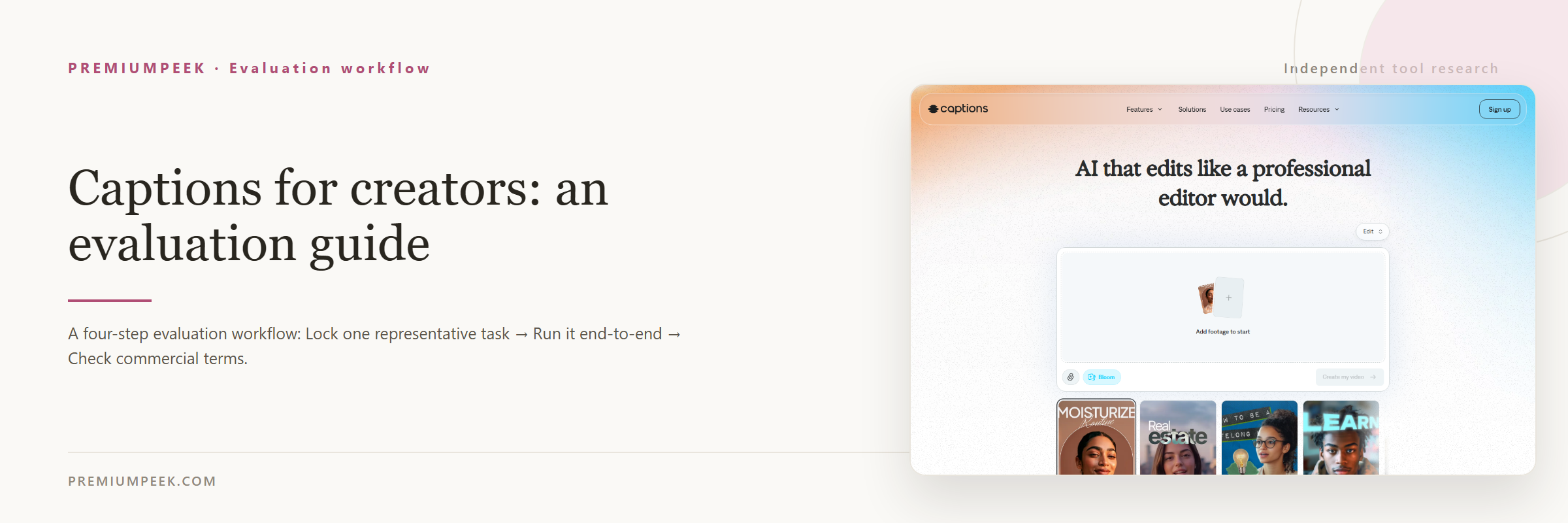 Captions App Review: AI Shorts & Actor PricingCaptions app review: explore mobile AI avatars, auto-captions, prompt-to-video credits, Max $24.99/mo plan, watermark rules, and TikTok/Shorts workflow fit.
 Best AI Tools for Faceless TikTok and Reels ChannelsTop AI tools for faceless TikTok and Instagram Reels in 2026: scriptwriting, AI voiceovers, auto-captions, b-roll generation, and monetization stacks.
Compare Captions with alternatives
Side-by-side pages that weigh Captions against overlapping tools on the same five fields.
Where Captions appears
Official sources
These links are retained beside the catalog record so changing details can be rechecked.