Editing tool profile
VEED
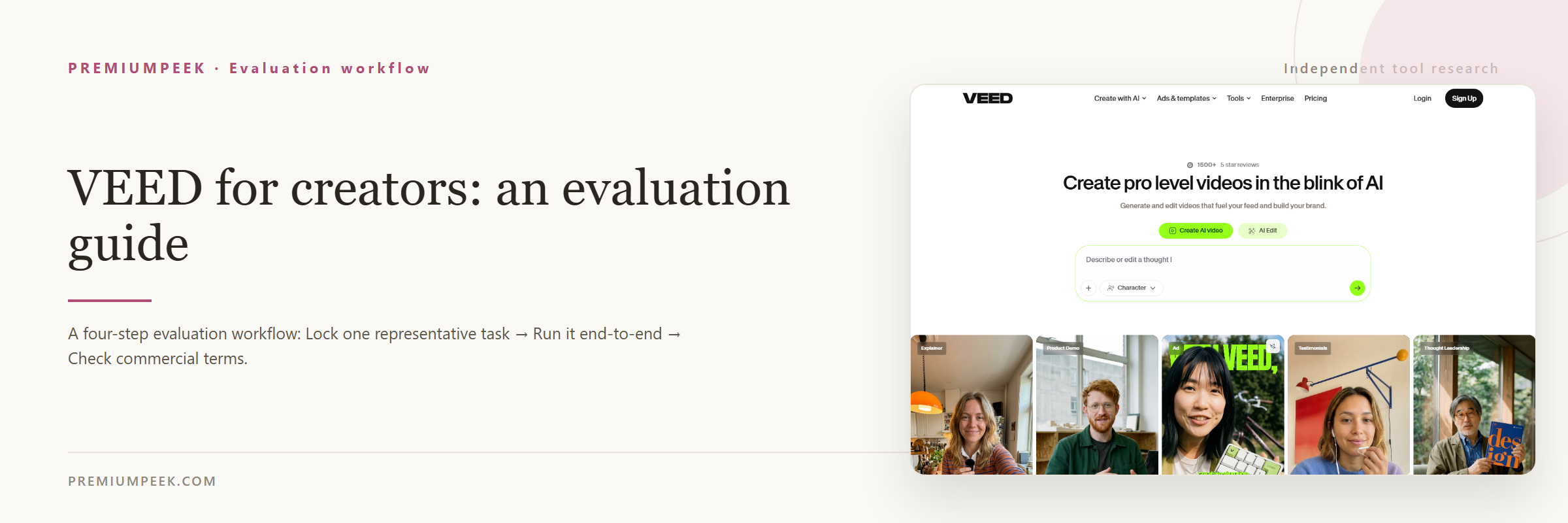
A browser-based video editing platform with auto captions, AI generation, avatars, lip sync, and collaboration — no software install.
- Best for
- Creators and teams who want a fast browser editor with excellent auto-captions plus AI extras, without desktop software.
- Starting point
- Free plan available.
- Free plan
- Yes — Free plan ('Start for free'): full online editor with watermark on all exports - official...
- Key limitation
- Free plan exports carry a watermark.
Choose it if
Creators and teams who want a fast browser editor with excellent auto-captions plus AI extras, without desktop software.
Avoid it if
- Free plan exports carry a watermark.
- Credit system covers AI features (generation, avatars, voice); heavy AI use consumes credits.
- Browser-based editing is less capable than desktop NLEs for complex timelines.
Free-plan suitability
Free plan ('Start for free'): full online editor with watermark on all exports - official support article (support.veed.io) states free-account exports carry the VEED.IO watermark, removed with any paid subscription; per veed.io's official learn-page comparison the free tier exports at 720p with a 10-minute video length limit.
Where it fits
Creators and teams who want a fast browser editor with excellent auto-captions plus AI extras, without desktop software.
Pricing note
- Starting point
- Free plan available.
- Free plan
- Yes — Free plan ('Start for free'): full online editor with watermark on all exports - official...
Free plan available. Creator $12/user/month billed yearly ($147/year, 6,000 credits), Pro $24/user/month billed yearly ($288/year, 30,000 credits), Studio $39/user/month billed yearly ($465/year, 180,000 credits); annual billing saves up to 51% off monthly rates. Check the official pricing page for current tiers and credit allowances.
Verify the current plan, credits, output limits, and commercial terms before purchasing.
Estimate your creator costIs it legit?
Who is behind VEED, where it is based, and what is publicly known about its funding. Company details change — verify on the official site before committing.
- Company
- VEED.IO
- Founded
- 2018
- Headquarters
- London, UK
- Funding
- Venture-backed
Free plan details
Free plan ('Start for free'): full online editor with watermark on all exports - official support article (support.veed.io) states free-account exports carry the VEED.IO watermark, removed with any paid subscription; per veed.io's official learn-page comparison the free tier exports at 720p with a 10-minute video length limit.
Trade-offs to check
- Free plan exports carry a watermark.
- Credit system covers AI features (generation, avatars, voice); heavy AI use consumes credits.
- Browser-based editing is less capable than desktop NLEs for complex timelines.
What VEED does
- Online video editor with AI creation tools: AI video generator, text-to-video, VideoGPT, image-to-video, AI avatars and lip sync, AI voice generator and voice cloning, AI dubbing, and AI image generator
- Fast editing tools: video compressor/cutter/joiner/converter, auto subtitles, video translator, background remover, screen and webcam recorder, teleprompter, transcription, and eye-contact AI
- AI-credit plans (yearly billing): Creator $12/user/mo ($147/yr, 6,000 credits ~1,500 AI videos, no watermark, unlimited auto subtitles, 15+ AI tools, Gen-AI Studio), Pro $24/user/mo ($288/yr, 30,000 credits, multiple brand kits, translate to 50+ languages, up to 144 hr/yr AI voice), Studio $39/user/mo ($465/yr, 180,000 credits, custom templates)
- Enterprise: custom AI credits, centrally managed teams and data, review mode for videos, privacy controls, and customer success
- Developer platform: Fabric 1.0 API, Lip Sync API, Subtitle API, background removal APIs, and VEED for Teams
- Free accounts can create and edit but exports carry the VEED.IO watermark; official help center confirms the watermark appears on all free-account exports and is removed only with a paid subscription
Evaluation guide
Step-by-step evaluation guides for VEED — workflow fit, pricing, rights, and a same-input test before paying.
Compare VEED with alternatives
Side-by-side pages that weigh VEED against overlapping tools on the same five fields.
Where VEED appears
Best-of lists and roundups that include VEED.
Official sources
These links are retained beside the catalog record so changing details can be rechecked.